Page Navigation Styling with CSS#
Purpose#
This tutorial demonstrates how to create custom page navigation elements (Previous/Next links) using CSS flexbox and secure HTML anchor tags.
Use Case#
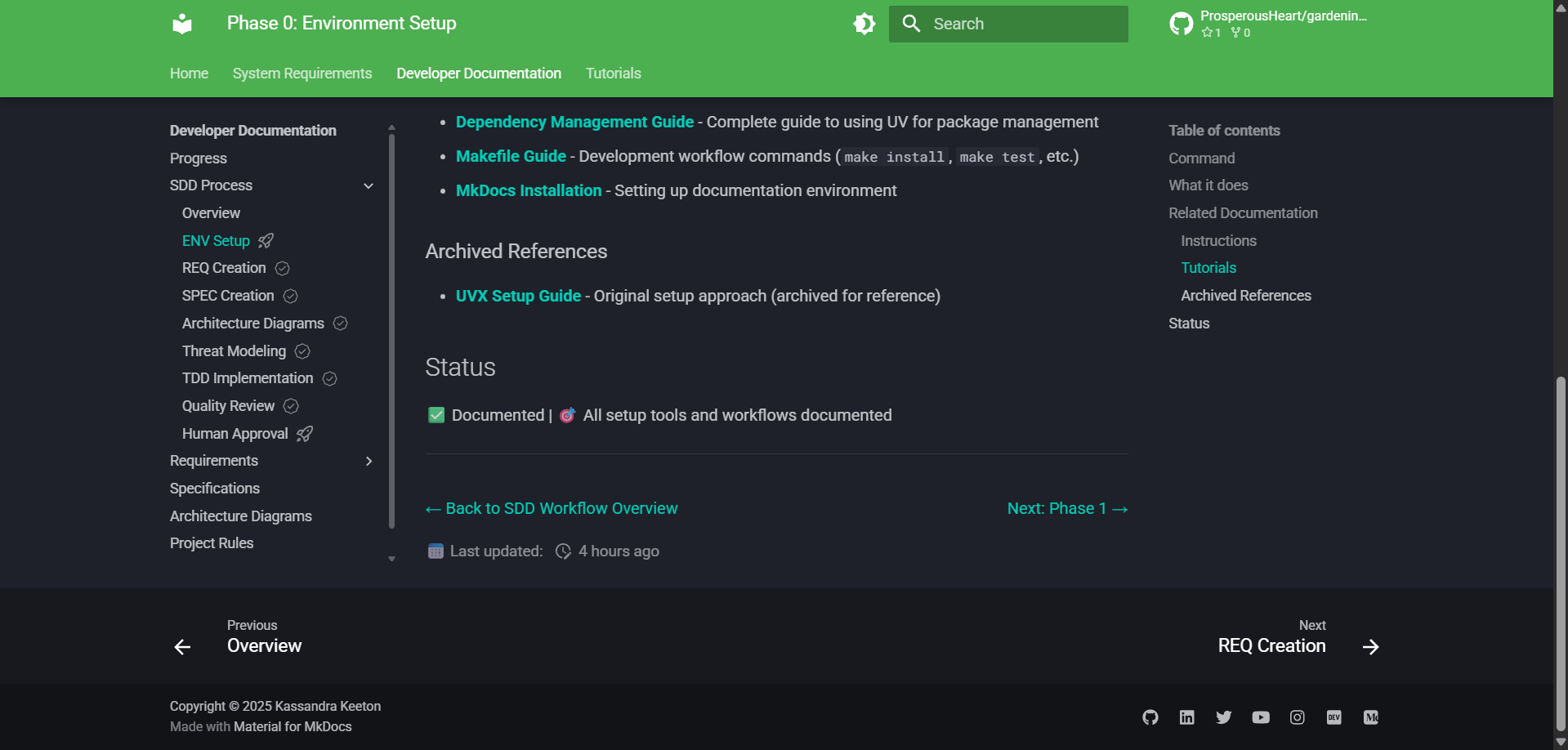
When you need custom navigation that:
- Aligns left and right (not centered)
- Uses flexbox for responsive layout
- Maintains security with proper
relattributes - Integrates with MkDocs Material theme
Implementation#
1. Create the CSS Class#
Add a CSS class to docs/stylesheets/extra.css:
/* ========================================
   Phase Navigation
   ======================================== */

/* Navigation for workflow phase pages - left/right alignment */
.phase-nav {
  display: flex;
  justify-content: space-between;
  margin-top: 2rem;
}
What it does:
display: flex- Enables flexbox layoutjustify-content: space-between- Pushes items to edges (left/right alignment)margin-top: 2rem- Adds spacing above navigation
2. Use HTML Anchor Tags with Security Attributes#
In your markdown file, use HTML structure with the CSS class:
<div class="phase-nav">
  <span><a href="previous-page.md" rel="noopener noreferrer">← Previous: Phase 1</a></span>
  <span><a href="next-page.md" rel="noopener noreferrer">Next: Phase 3 →</a></span>
</div>
CRITICAL SECURITY RULES:
- ALWAYS include
rel="noopener noreferrer"on ALL<a href>tags - ONLY use
target="_blank"for external links (different domains) - Internal links should NOT use
target="_blank"
Why rel="noopener noreferrer"?
noopener- Prevents the new page from accessingwindow.opener(tabnabbing prevention)noreferrer- Prevents the browser from sending the referrer header- Defense-in-depth approach - include on ALL links for consistency
3. Pattern Variations#
First page (Back to Overview + Next):
<div class="phase-nav">
  <span><a href="../overview.md" rel="noopener noreferrer">← Back to Overview</a></span>
  <span><a href="next-page.md" rel="noopener noreferrer">Next: Phase 1 →</a></span>
</div>
Middle page (Previous + Next):
<div class="phase-nav">
  <span><a href="previous-page.md" rel="noopener noreferrer">← Previous: Phase 1</a></span>
  <span><a href="next-page.md" rel="noopener noreferrer">Next: Phase 3 →</a></span>
</div>
Last page (Previous + Back to Overview):
<div class="phase-nav">
  <span><a href="previous-page.md" rel="noopener noreferrer">← Previous: Phase 6</a></span>
  <span><a href="../overview.md" rel="noopener noreferrer">Back to Overview</a></span>
</div>
Why Not Use Markdown Links?#
Markdown links inside HTML tags don't get processed by MkDocs:
<!-- ❌ WRONG: Markdown links inside HTML are treated as plain text -->
<div class="phase-nav">
  <span>[← Previous](page.md)</span>
  <span>[Next →](page.md)</span>
</div>
This renders as literal text [← Previous](page.md) instead of clickable links.
Solution: Use HTML anchor tags throughout the HTML structure.
Why Not Use Inline Styles?#
Inline styles work but have disadvantages:
<!-- ❌ AVOID: Inline styles (less secure, harder to maintain) -->
<div style="display: flex; justify-content: space-between;">
  <span><a href="page.md">Previous</a></span>
  <span><a href="page.md">Next</a></span>
</div>
Problems:
- Security: Some Content Security Policies (CSP) block inline styles
- Maintainability: Changes require updating every file
- Consistency: Easy to have variations across files
CSS classes are better:
- ✅ More secure (CSP-friendly)
- ✅ Single point of update (DRY principle)
- ✅ Consistent styling across all pages
- ✅ Easier to read and maintain
External Links#
For external links, add target="_blank":
<div class="phase-nav">
  <span><a href="internal.md" rel="noopener noreferrer">← Previous</a></span>
  <span><a href="https://example.com" target="_blank" rel="noopener noreferrer">External Resource →</a></span>
</div>
Rule: target="_blank" ONLY for external links (different domains).
Real-World Examples#
See implementation in:
docs/workflow/phase0-environment-setup.mddocs/workflow/phase1-requirements-creation.mddocs/workflow/phase2-specification-generation.md- All phase files (
phase0-phase7) use this pattern
Related Documentation#
- Markdown Standards:
docs/rules/markdown-standards.md- HTML link security standards - CSS Styling:
docs/stylesheets/extra.css-.phase-navclass definition - CLAUDE.md:
.claude/CLAUDE.md- Critical rules including HTML link security
Summary#
To create secure, maintainable page navigation:
- Create a CSS class in
docs/stylesheets/extra.css - Use HTML
<div>and<a>tags (not markdown links) - ALWAYS include
rel="noopener noreferrer"on ALL links - ONLY use
target="_blank"for external links - Use flexbox (
justify-content: space-between) for left/right alignment